ON THE WEB
Cloud on the web
app.twozero.ai/hub is the same Cloud as in the plugin: the components you save from TouchDesigner and the rudiments you add. On the website you also share repositories with people, make links, request access and manage storage.
Share a repository
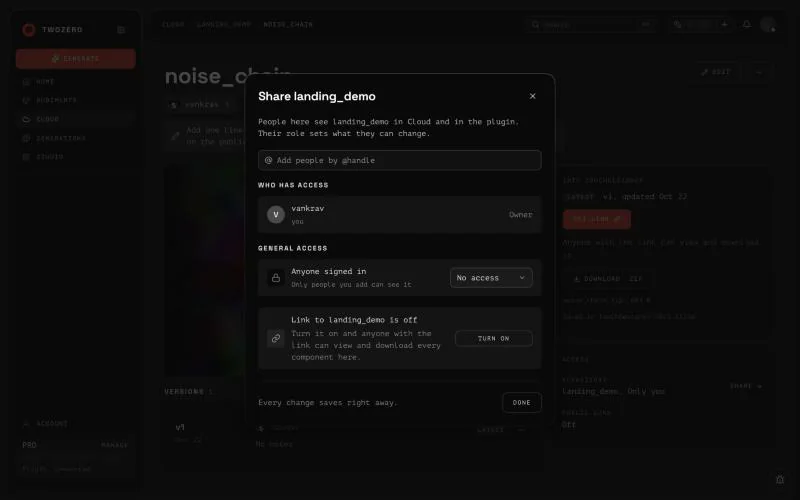
Open a repository → Share. Add people by their @handle and pick a role:
General access sets the same for Anyone signed in, or No access. People you add get an invite in their notifications; once they accept, the repository shows up in their Cloud and in the plugin. A repository shared with you has Leave… in its menu.
The plugin shows the same roles as short tags: READ, WRITE, CONTRIBUTE, ROOT.
Links
- A component's link opens the latest version, or one exact version if you choose Only vN. Get link in the component's menu; Turn off closes it again.
- A repository's link lets anyone with it open the repository and download every component in it.
- Someone without access who opens a component link sees its name, cover and owner, and can press Request access. You answer in your notifications; once you accept, it opens for them from the same link, in the plugin too.
Paste any of these links into the plugin, or just copy one and switch back to TouchDesigner: a card appears in the network with +. See Cloud.
Get a component into TouchDesigner
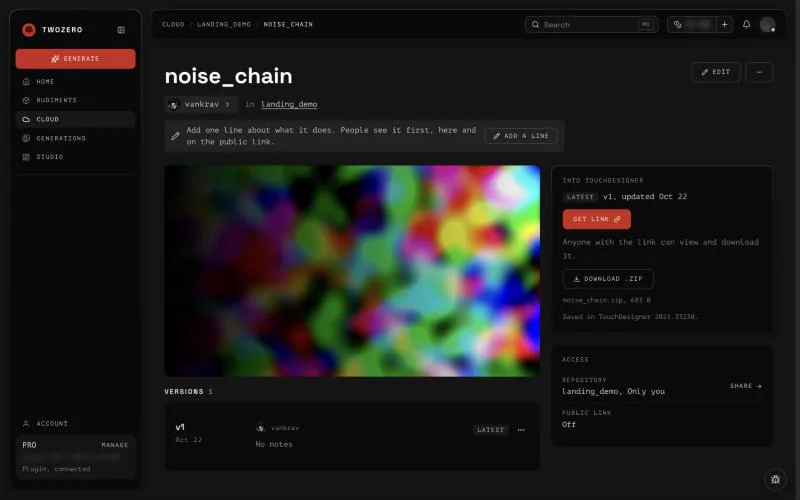
Copy to TD on a component copies its link. Switch to TouchDesigner: a card with the component shows up in the network, press + and click where it should land. Nothing showed up? Paste the link into any input of the plugin. On a phone, Send link to your computer instead.
In the plugin's Cloud window, RMB on a component → Open on twozero.ai goes the other way.
Send, copy, delete
From a component's menu:
- Send… one person by @handle: they can open and download it, but not change it. Choose This exact version or File and future versions, and add a note if you like.
- Copy to repository…, Download, Edit (previews and a "What's new" note for the version).
- Delete component removes it with all versions; a single version goes with Delete version. A component someone sent you has Remove from my Cloud… instead. There is no trash and no undo.
Storage
Free accounts get 100 MB of Cloud, PRO 10 GB. All versions of the components you uploaded count; previews and generations do not.
At 80% a banner says Your Cloud is almost full. At 100% Your Cloud is full: nothing new can be saved or added until you delete something, and everything already there stays available. Sort by size helps find what to delete. Your usage is also on Profile & plan.