START
Connect your agent
twozero has an MCP server built into TouchDesigner. Connect your AI agent to it once, and the agent can read and build in your live patch from any chat.
On this page 3
We recommend Claude Code: in the terminal, or in the Code section of the Claude desktop app. Cursor and Codex work the same way. MCP costs no credits: you only pay for your agent's own plan.
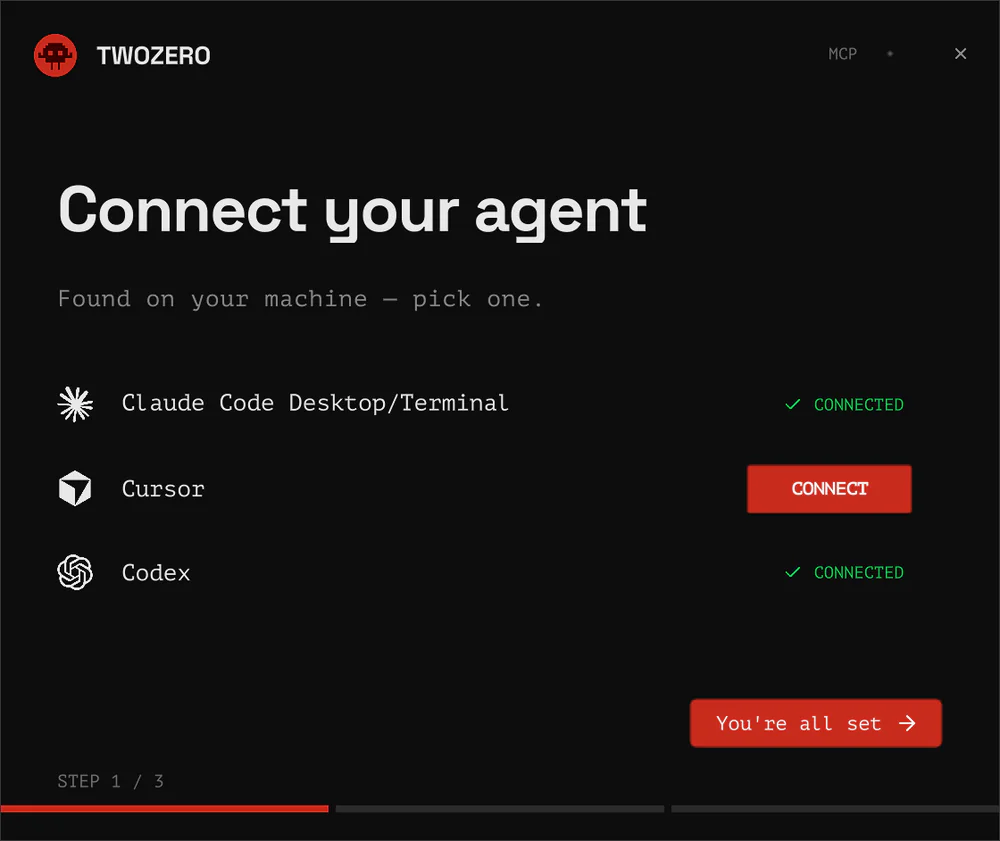
With the wizard
The Connect your agent wizard opens by itself after the install. To open it again: Settings → AI & MCP → Reconnect agents.
- Pick your agent. The wizard lists the agents it found on your machine: Claude Code, Cursor, Codex. Click CONNECT. twozero adds one entry,
twozero_td, to that agent's own config file (~/.claude.json,~/.cursor/mcp.json,~/.codex/config.toml) and touches nothing else in it. A connected agent shows CONNECTED; hover it for DISCONNECT. - Reload your agent so it reads the new entry: start a new Claude Code session (or run
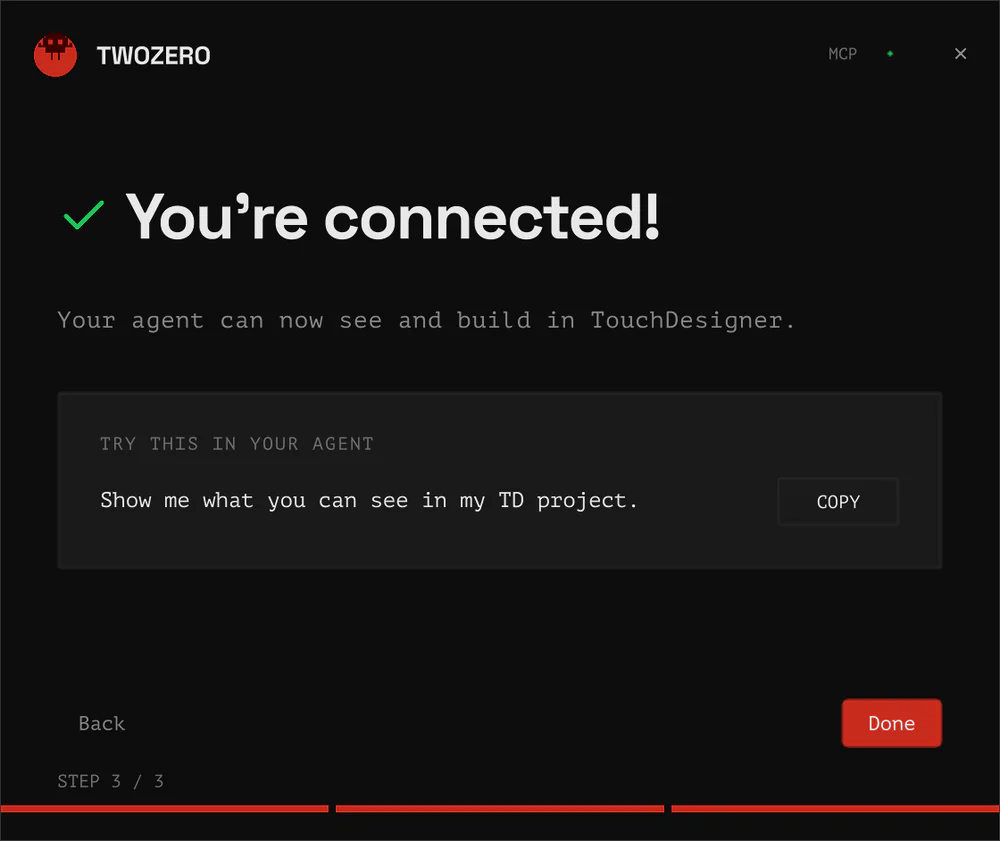
/mcpthere), reload Cursor, restartcodex. The wizard waits and notices the live connection by itself. - Try it. The wizard shows a first prompt with a COPY button. Paste it into your agent:
Show me what you can see in my TD project.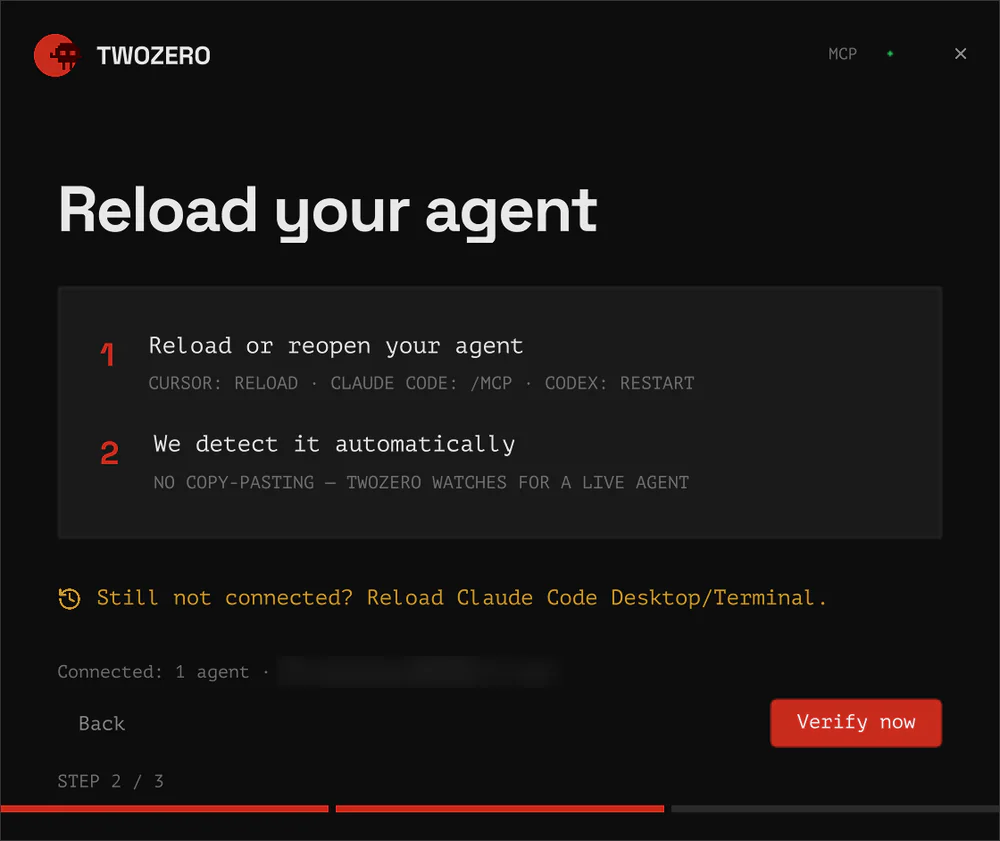
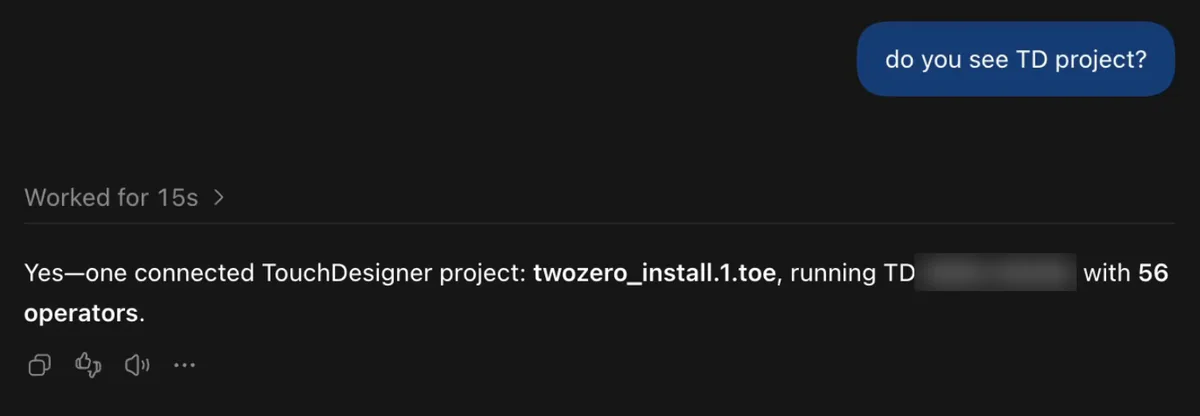
No agent on the machine yet? The wizard says Get an AI agent and offers SET UP. Install Claude Code from claude.com/claude-code, then reopen the wizard.
By hand
Add one MCP server named twozero_td pointing at http://localhost:40404/mcp. For Claude Code, in a terminal:
claude mcp add --transport http --scope user twozero_td http://localhost:40404/mcpOr ask your agent to do it:
Add twozero TD MCP for me with server key "twozero_td" and URL "http://localhost:40404/mcp". Configure it globally (user scope).Configure one address only. Every open TouchDesigner registers with the same server on port 40404, and the agent asks which one to act on. Do not add a separate entry per TD.
Two rules that save an hour
- TouchDesigner first, then a new chat. An agent connects to twozero when its chat starts. A chat opened before TouchDesigner was up may never see the twozero tools. Open a new one.
- Use the strongest model your agent offers. Smaller models invent operator parameters more often.
The agent doesn't see TouchDesigner? See Agent can't see TD. What to say to it: Talk to your agent.